Season 5 is a modded single-player game in Science mode, and one goal of the season is that no kerbal dies. The previous video ended with the docking tutorial out of fuel. This one goes straight back into that tutorial and stays there for the whole video. The season's own save never comes up. Two tries at the rendezvous follow, and by the end the ship sits a few meters from its target with the docking ports still not lined up.
Back to Gene's lesson
The video opens on the main menu with a choice: start the tutorial again, or try docking in the real save and work out the last step there. "I'm thinking the training is probably a better idea." It is frustrating, the commentary admits, "but it is more important to learn it." So the Docking scenario starts over.
The first job is to put both orbits on the same plane. The first burn goes the wrong way ("I made it worse by a lot"), then the numbers come down until the ascending node reads half a degree.
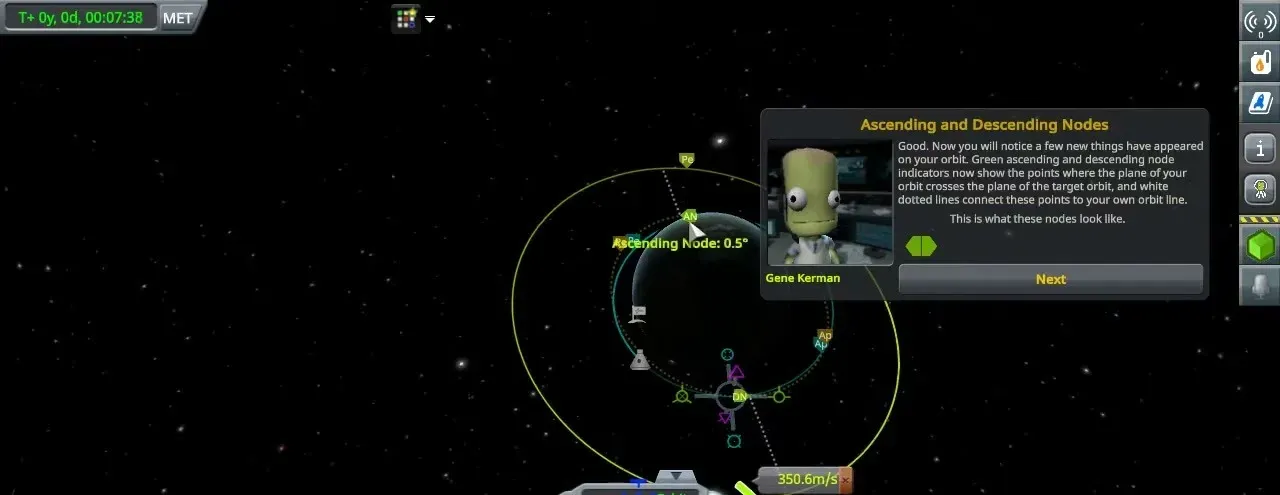
Next comes the transfer orbit. The maneuver node keeps vanishing and the colored intersection markers keep jumping to the far side of the planet, but a burn finally puts the two paths close together.
A full stop at five kilometers
This part goes by the book. At 15 km the ship turns retrograde and burns until its speed relative to the target drops under 50 m/s. Then it waits until the target is 5 km away, points retrograde again, turns on RCS and holds H until the speed reads zero.
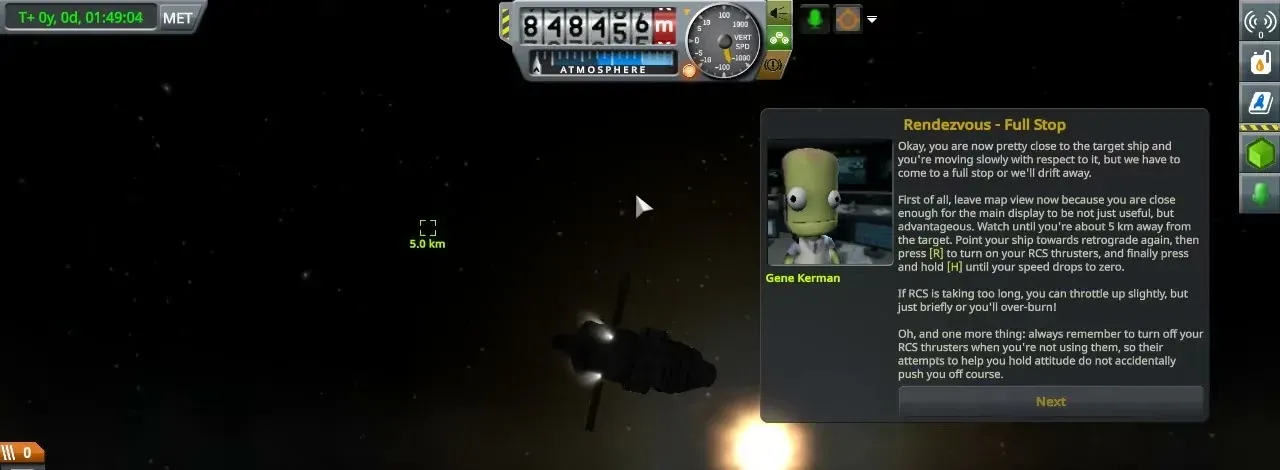
"Now our orbits are much, much closer together. We're five kilometers apart." What is left is to close in on RCS and never go faster than 10 m/s. This is the step where the last try went wrong.
Drifting apart
It goes wrong in a new way. Thrusting to slow down makes the gap grow, and thrusting the other way grows it too. The two ships end up side by side on slightly different orbits. Then the game hits a trap: switching to the map view while in docking mode puts the controls back on the main engine. The commentary passes it on: "Just so you know, if you are in RCS docking mode and you switch to the map view, it goes to engine mode."
The reason for all this effort comes out along the way: "I have really big plans for a big space station and it involves having things docked together." The ship gets close enough that "I can jump out of the ship and get here," then slides away again, and the fuel runs low. At about 45 minutes in, the scenario ends and starts over.
The second try
The planes line up better this time, to a tenth of a degree. Setting up the transfer still takes a long time. One new trick helps: the maneuver can wait a few laps, and "warp to next maneuver" knows to skip them. "Remember that for our future stuff." Gene's advice is followed to the letter: full throttle until 10 m/s is left on the node, then short bursts.
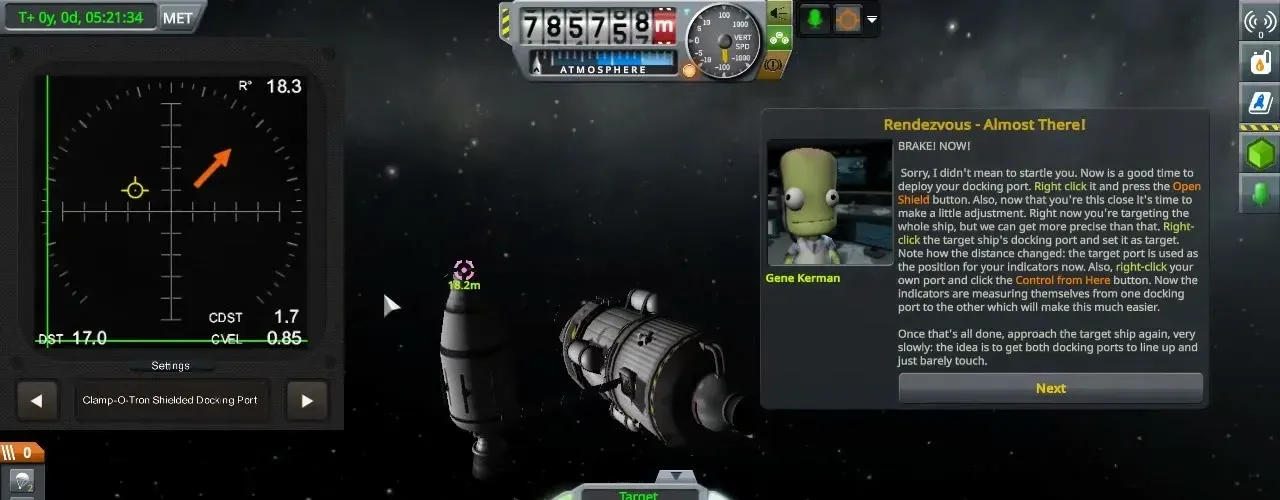
The 15 km burn and the 5 km stop work again. On the slow approach a new display sits on the left of the screen, "this thing, which helps me dock, apparently," though how to read it is still a puzzle. Pointing retrograde and holding H turns out to be the way to slow down: "that's when the H actually functions properly." Inside 100 meters, Gene's window shouts "BRAKE! NOW!"
Ports that will not line up
Now the docking ports matter. The ship's own port gets its shield opened and "Control from Here" set. The target's port is harder: right-clicking it does nothing at first. "I can't select the docking port." Eventually "Set as target" appears. "Look at that."
The ships are only meters apart, but on the wrong sides of each other, and the approach keeps turning into slow circles. The last window, Alignment, explains that the prograde marker and the target marker have to overlap on the navball, and suggests the chase camera.
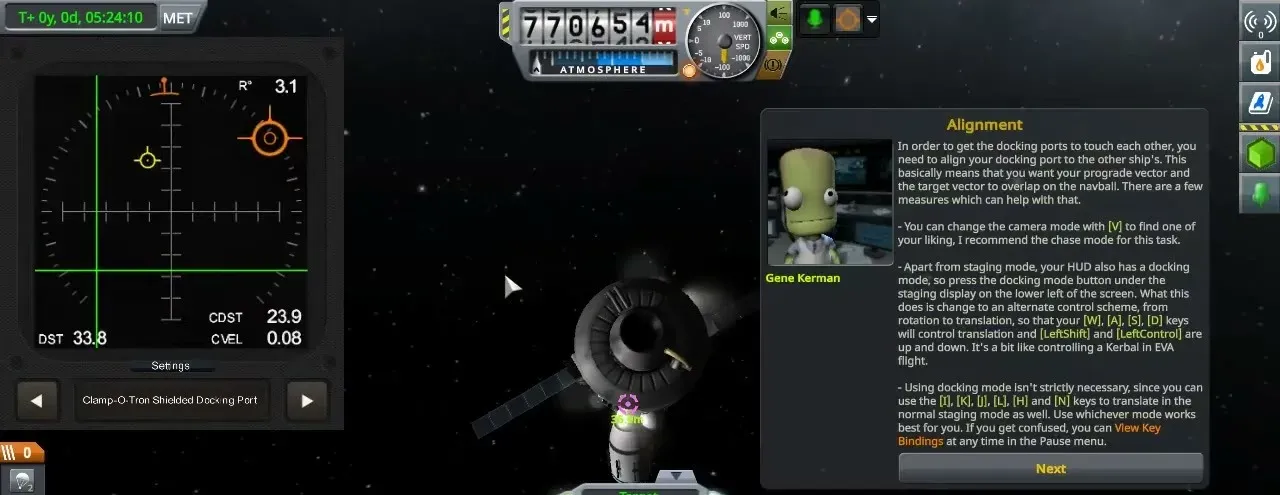
The ship tries to climb above the target so the ports face each other, and the numbers on the display get worse. "I feel like I should make those guys line up with me. Wouldn't that just be a lot easier?" The tutorial will not switch to the other ship.
Where it ends
Time runs out before the ports touch. The ship turns retrograde and holds H to stay near its target. Tutorials cannot be saved, so the plan is to leave the game open and come back to it tomorrow. "We did make valuable progress." The video ends in the Alignment step, not docked. The season's own save is never loaded in this video, and no kerbal has been lost.