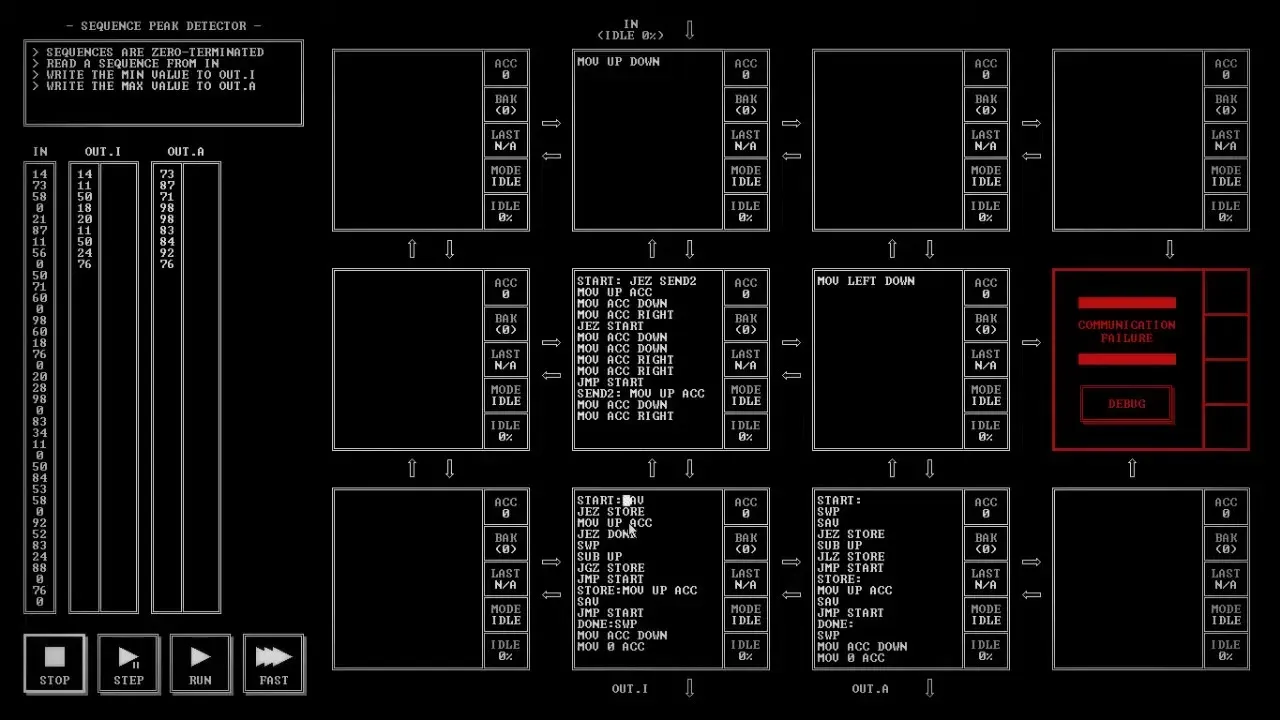
Episode 7 opens Sequence Peak Detector, the segment after Signal Pattern Detector, and spends the whole video in the editor. Basket plans the program out loud, writes it node by node, and keeps running out of lines. No test is run in this episode, and the puzzle is not solved when the video ends.
Lowest to OUT.I, highest to OUT.A
On the segment map, the commentary notes the friend's score to aim for: six nodes. The puzzle text reads: "Sequences are zero-terminated. Read a sequence from IN. Write the min value to OUT.I. Write the max value to OUT.A." The grid starts empty. The node under IN and the one below it get "MOV UP DOWN," moving values toward the bottom row. The commentary works out that 0 is never a valid answer, "because that would be the terminated string," so a 0 means the sequence is over.
Keeping the lowest
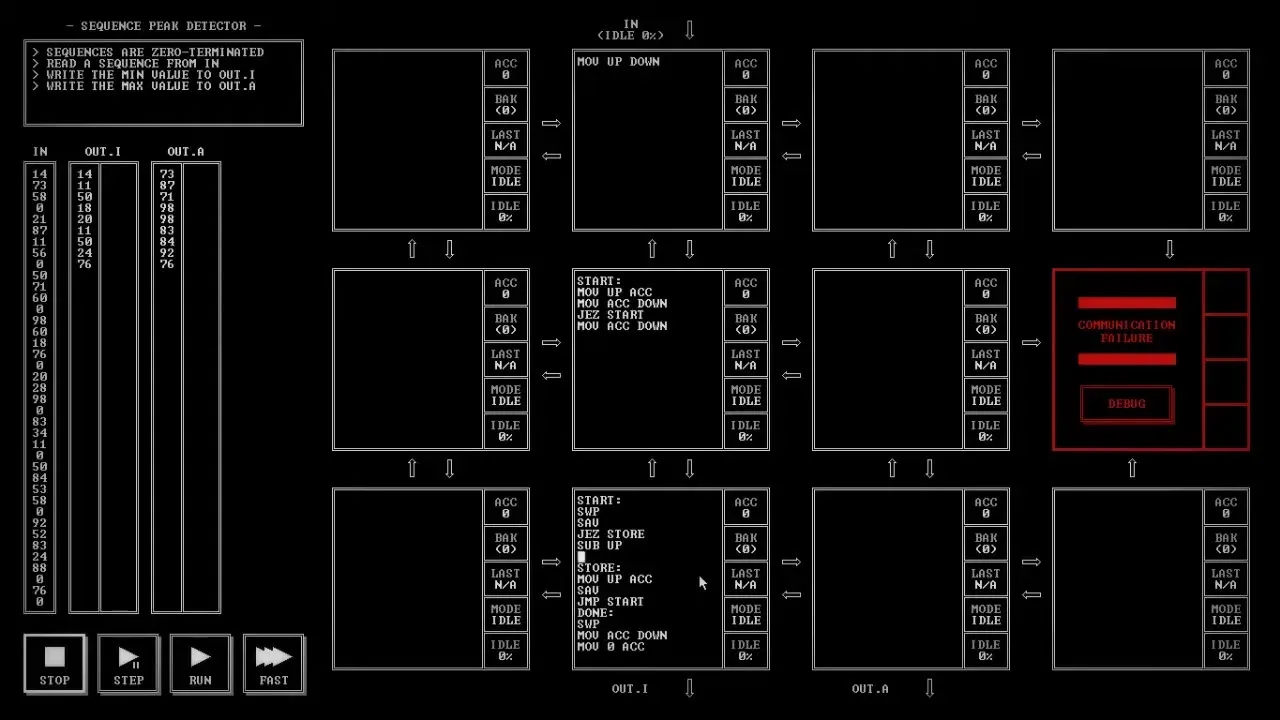
The plan is to hold the lowest value so far in the backup register. The node above OUT.I grows into a loop: "SWP," "SAV," "JEZ STORE," "SUB UP," "JGZ STORE," "JMP START," with a STORE label that takes the new value with "MOV UP ACC" and saves it. The middle node sends each value down, and a second time when the bottom node needs it once to subtract and once to store. Both nodes fill up fast. "Lines of code isn't gonna be great here."
A second column for the max
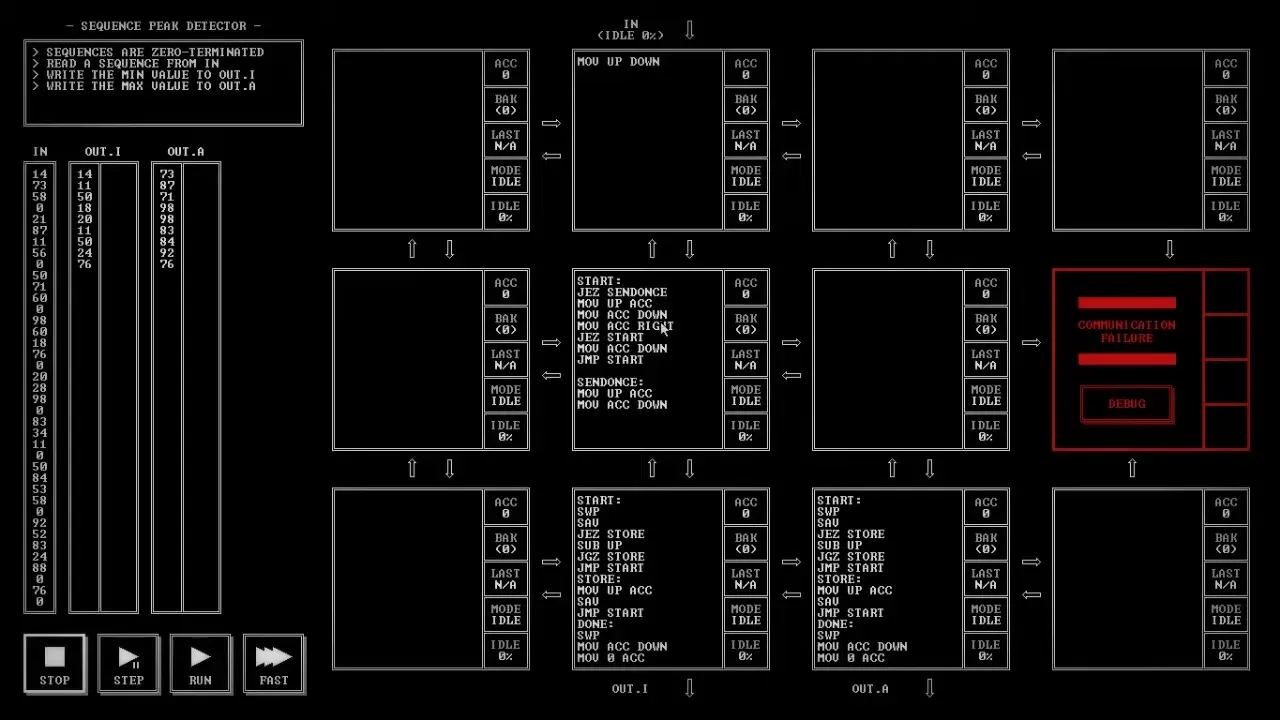
The highest value is a "similar thing," so the middle node also sends to the right, through a new SENDONCE label. The node above OUT.A gets a copy of the min program with "JLZ STORE" in place of "JGZ STORE," and the node above it gets "MOV LEFT DOWN." Reading it back, the commentary finds a gap: "Wait, do we ever jump to done? No." Nothing tells the program a 0 has arrived. "How do I determine that the zero I received is done? ... Yeah, I'm out of space."
Making room
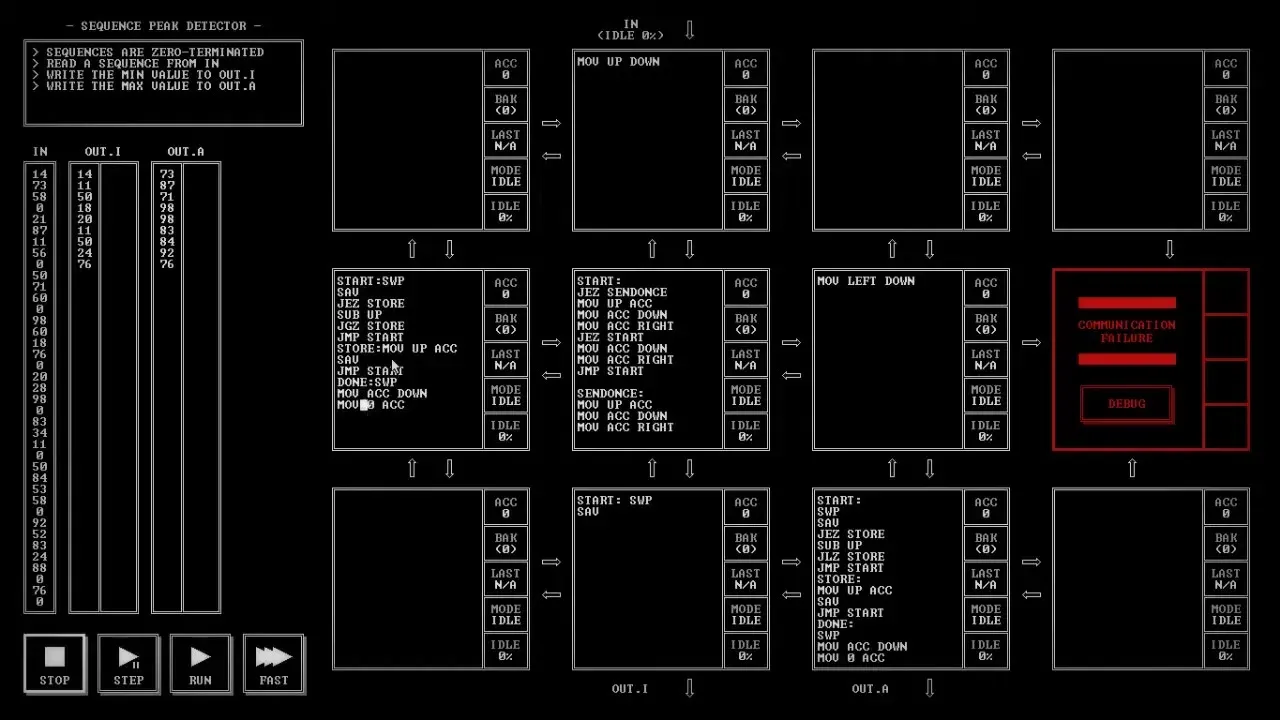
Basket copies the OUT.I code into the empty node on the left "in case you want to get it back," and starts over. A label can share a line with an instruction, which frees space: "I forgot you could do that." The node above OUT.I is cut back to "START: SWP" and "SAV." The middle node's label becomes SENDTWICE, then SEND2, and that node sends values down and right twice. "I'm so confused. I'm not even sure what this is supposed to do."
After a rethink, the bottom node takes shape again: store the first value, otherwise read the next one with "MOV UP ACC," and "JEZ DONE" when it is a 0. DONE swaps the lowest value out, sends it down with "MOV ACC DOWN," and resets with "MOV 0 ACC."
Where it ends
The node is one line short again, since the program wants a swap and a save at the same point. "Is there any way I can get one line of code out of here?" The commentary decides the first swap may not be needed: "If I always end with the value I want in my hand, then I don't need to swap." The first line changes from "START:SWP" to "START:SAV," and the video fades to the end card on "let's try to see if we can pull that off." The output columns are still empty, and the OUT.A node still holds the earlier copy of the code.